Your best employee just handed in her notice. When you ask why, she mentions the constant phone interruptions, the stress of juggling calls while trying to focus on important work, and feeling like a glorified answering service instead of using her actual skills.
She's not alone. A recent study by the American Psychological Association found that 62% of employees report feeling overwhelmed by constant interruptions, with phone calls ranking as the number one workplace distraction. For small and medium businesses where every team member wears multiple hats, the phone burden doesn't just interrupt work—it's actively driving talented people away.
The average employee is interrupted by phone calls 11 times per day, and it takes an average of 23 minutes to fully return to their original task after each interruption. That's over 4 hours of lost productivity daily, not counting the mental exhaustion and stress that comes with constant context switching.
What if you could reduce phone burden by 60% or more, letting your team focus on what they were actually hired to do?
The Real Cost of Phone Overload on Your Team
Before we talk solutions, let's quantify what phone overload is actually costing your business. The numbers are more alarming than most business owners realize.
Productivity Drain
When employees are constantly fielding calls, they can't enter "deep work" mode—the focused state where complex problem-solving and creative thinking happen. Research from the University of California, Irvine shows that after an interruption, it takes an average of 23 minutes and 15 seconds to fully regain focus on the original task.
For an employee interrupted 11 times daily by calls, that's over 250 minutes (4+ hours) of fragmented attention. Even if the calls themselves only take 3-5 minutes each, the recovery time multiplies the impact exponentially. A task that should take 2 hours stretches into a full day because of constant interruptions.
Employee Burnout and Turnover
The mental health impact is equally significant. A survey by Indeed found that 67% of workers experience burnout, with "too many simultaneous projects" and "constant interruptions" listed as primary factors. When your marketing manager has to stop mid-campaign to answer a routine scheduling question, or your lead technician abandons a complex repair to handle a price inquiry, frustration builds.
This frustration has a price tag. The cost to replace an employee ranges from 50% to 200% of their annual salary when you factor in recruitment, training, lost productivity, and knowledge gaps. If phone overload contributes to losing even one $50,000 employee annually, that's $25,000-$100,000 in replacement costs—money that could fund an AI receptionist for years.
Customer Service Quality Deterioration
Here's the paradox: the more calls your staff handles while trying to do other work, the worse the customer experience becomes. When someone is torn between finishing a proposal and answering the phone, both suffer. The caller gets a distracted, hurried response. The proposal gets rushed. Nobody wins.
Forty-three percent of customers report that they can tell when the person they're speaking with is multitasking, and 68% say it negatively impacts their perception of the business. Your team's phone burden isn't just an internal problem—it's actively damaging your customer relationships.
Why Traditional Solutions Don't Work
Most businesses try to solve phone overload with approaches that create as many problems as they solve.
The Voicemail Trap
"Just let it go to voicemail" sounds simple, but 73% of callers won't leave a message, and of those who do, 62% won't wait more than 4 hours for a callback before trying a competitor. You're not reducing burden—you're reducing revenue.
Hiring More Staff
Adding a dedicated receptionist helps, but introduces new challenges. The cost is obvious: $30,000-$45,000 annually in salary plus benefits. But there are hidden costs too. Who covers breaks? What happens during sick days? How do you handle after-hours and weekend calls? Suddenly you need two full-time receptionists to provide coverage, and you're approaching $100,000 annually.
IVR Systems ("Press 1 for...")
Interactive Voice Response systems are universally hated by customers. Research from Consumer Reports shows that 75% of customers find IVR systems frustrating, and 67% will hang up and call a competitor if forced to navigate multiple menu layers. You've reduced burden on staff by increasing burden on customers—not a winning trade-off.
Taking Turns on Phone Duty
Some businesses rotate phone responsibility among staff. This seems fair, but it actually multiplies the problem. Now everyone experiences interruptions, context switching, and productivity loss. Instead of one person struggling with the phone burden, your entire team does. The collective productivity drain often exceeds the cost of a proper solution.
How AI Receptionists Reduce Phone Burden Without Compromising Service
Modern AI phone technology offers a fundamentally different approach. Instead of forcing a tradeoff between staff productivity and customer service, it improves both simultaneously.
Intelligent Call Handling That Feels Human
Today's AI receptionists use advanced natural language processing to handle conversations that feel genuinely human. They don't force callers through rigid menu trees or frustrate them with robotic responses. Instead, they engage in natural dialogue, understand context, ask clarifying questions, and provide helpful information.
For routine inquiries—business hours, pricing, appointment availability, directions, service descriptions—AI handles these instantly and accurately. That's 60-70% of inbound calls at most small businesses, immediately lifted from your team's shoulders.
Smart Escalation When Needed
AI doesn't try to handle everything. It's programmed to recognize complex questions, emergency situations, or high-value opportunities that need human attention. In these cases, it seamlessly transfers to the appropriate team member with context already gathered.
For example, an AI receptionist at a law firm can handle new client intake forms, schedule consultation appointments, and answer basic questions about practice areas. But when a caller mentions an urgent deadline or complex legal situation, it immediately connects them to an attorney, having already collected key information. Your lawyers spend time on valuable consultations, not routine scheduling.
24/7 Coverage Without Overtime
Phone burden isn't just a 9-to-5 problem. After-hours calls represent 30-40% of inbound volume for many businesses, and these calls often come from the most motivated prospects—people with urgent needs willing to call outside business hours.
With AI receptionists, these calls get answered professionally without requiring staff to work evenings and weekends. Your team maintains work-life balance. Your customers get immediate assistance. You capture revenue that would otherwise vanish.
A plumbing company in Denver implemented AI call handling and discovered that 38% of their emergency calls came between 6 PM and 8 AM. Before AI, these calls went to voicemail or an overwhelmed after-hours service. Now, the AI assesses urgency, books emergency appointments directly, and only alerts the on-call plumber for true emergencies. The owner reports: "My guys actually sleep now, and we're capturing $15,000 more monthly from after-hours calls."
Integration with Existing Tools
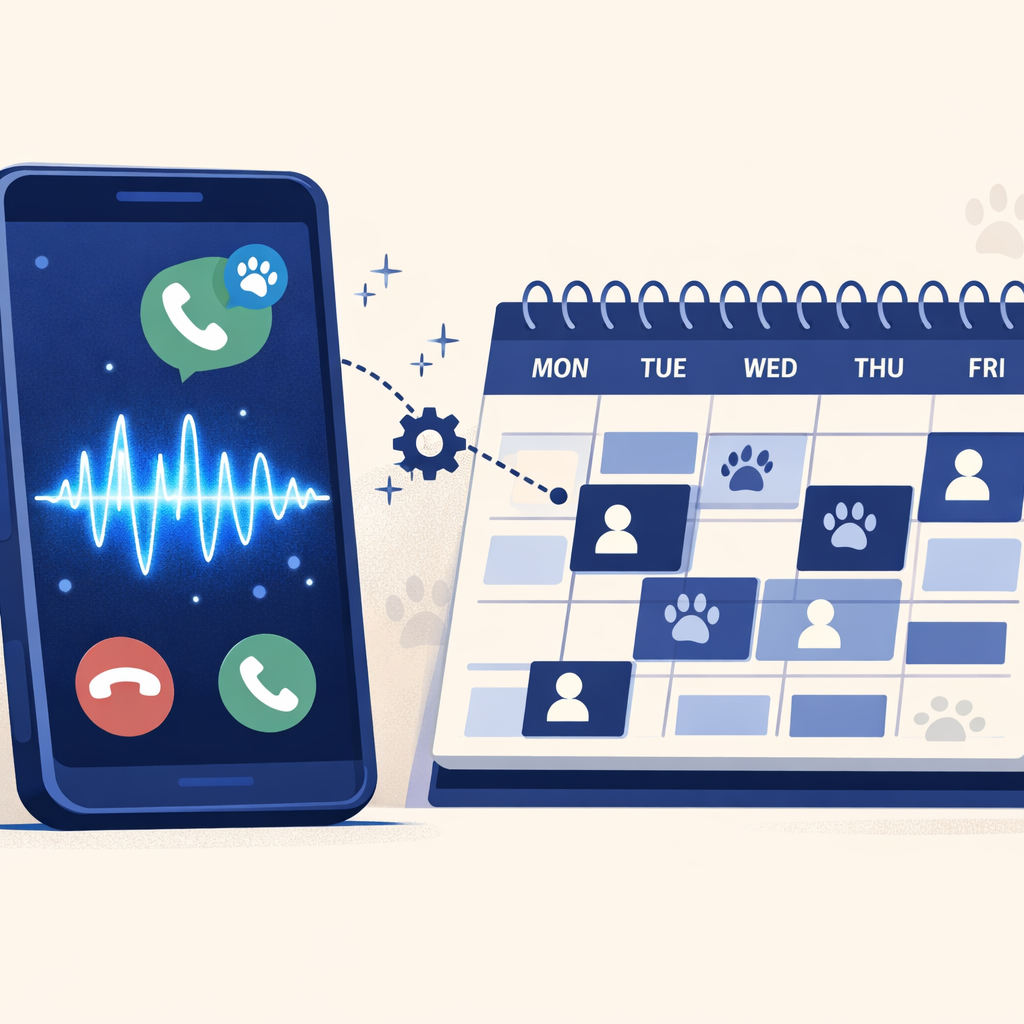
AI receptionists don't create more work—they reduce it by integrating directly with your existing systems. They can schedule appointments in your calendar, create leads in your CRM, send confirmation emails, trigger SMS reminders, and update customer records automatically.
When a call comes in, the AI handles it, books the appointment, sends a confirmation to the customer, adds the appointment to your calendar, creates a lead record with conversation notes, and moves on to the next call. Your staff sees a perfectly scheduled day without touching the phone or doing any data entry.
The Mental Health Impact: What Employees Say
The psychological benefits of reducing phone burden extend beyond simple productivity metrics. When employees aren't constantly interrupted, their entire work experience improves.
Restored Focus and Flow State
Sarah Martinez, a project manager at a marketing agency, describes the difference: "Before AI handling our calls, I'd start working on a strategy document and get interrupted five or six times before I could finish a single section. I'd leave work every day feeling like I'd accomplished nothing. Now, I can actually think. I can work on complex problems without my brain constantly waiting for the next phone ring. It sounds dramatic, but it's changed how I feel about my job."
Employees who aren't managing phone burden report 47% higher job satisfaction and 31% lower stress levels, according to research from the Journal of Occupational Health Psychology. They complete projects faster, produce higher quality work, and are more engaged with their actual responsibilities.
Improved Team Morale
Phone burden doesn't just affect the person answering—it affects team dynamics. When one person is drowning in calls while others try to work, resentment builds. Rotating phone duties spreads the misery. Hiring a receptionist creates hierarchy issues and communication bottlenecks.
AI removes this entirely. Nobody resents the AI for handling calls. Everyone benefits from fewer interruptions. Teams report better collaboration when they're not constantly fragmented by phone coverage questions.
Better Work-Life Boundaries
For small business owners and managers, phone burden often follows them home. They check voicemails during dinner, take calls on weekends, and never fully disconnect. This chronic availability leads to burnout faster than almost any other factor.
Michael Chen, owner of an HVAC company, explains: "I was answering my phone at my daughter's soccer games, during date nights, on vacation. I couldn't turn it off because I knew every missed call was lost money. The AI changed everything. I still get notified about true emergencies, but routine calls are handled automatically. I got my life back."
Implementation: How to Reduce Phone Burden in Your Business
Transitioning to AI phone handling is simpler than most business owners expect. The process typically takes less than a week from decision to full operation.
Step 1: Audit Your Call Volume and Types
Start by understanding your current phone burden. For one week, track:
- Total number of inbound calls
- Call types (scheduling, pricing questions, support requests, emergencies)
- Time spent on each call category
- Which calls could be handled without specialized knowledge
Most businesses discover that 60-70% of their calls are routine and require no special expertise. These are prime candidates for AI handling.
Step 2: Define Your Workflows
Map out how you want different call types handled. For example:
- New customer inquiries → AI collects information, checks calendar, books appointment or consultation
- Existing customer scheduling → AI accesses calendar, books appointment, sends confirmation
- Pricing questions → AI provides standard rates, offers to schedule detailed quote appointment
- Emergency calls → AI assesses urgency using predefined criteria, escalates to on-call staff or handles according to protocol
- Complex inquiries → AI collects context information, transfers to appropriate team member
The beauty of AI receptionists is their flexibility. You're not locked into rigid scripts—you define the logic that makes sense for your business.
Step 3: Integrate with Your Systems
Modern AI receptionists connect with the tools you already use:
- Calendar systems: Google Calendar, Outlook, Calendly for direct appointment booking
- CRM platforms: Salesforce, HubSpot, Zoho, Pipedrive for automatic lead creation
- Industry-specific software: ServiceTitan for contractors, Mindbody for fitness studios, Clio for law firms
- Communication tools: SMS reminders, email confirmations, Slack notifications
- Payment processing: For businesses that take deposits or payments over the phone
Integration typically takes 1-2 days depending on your tech stack complexity, and most AI platforms offer support to ensure smooth setup.
Step 4: Train and Customize
Unlike hiring and training a human receptionist (4-6 weeks typically), training an AI takes hours, not months. You provide:
- Your business information and service descriptions
- Pricing and policies
- Scheduling rules and availability
- Escalation protocols
- Brand voice and greeting preferences
The AI learns your business quickly and consistently applies this knowledge to every call. No bad days, no memory lapses, no personality conflicts.
Step 5: Monitor and Optimize
After launch, review call recordings and transcripts to identify improvement opportunities. Most businesses make minor adjustments in the first few weeks as they see how real customers interact with the system. The AI learns from these interactions, continuously improving its responses.
Unlike traditional phone solutions, AI receptionists get better over time. They identify patterns in customer questions and optimize responses. They learn which information customers most frequently request and proactively offer it.
[CTA 3: Get Your Free Implementation Guide - Download our step-by-step checklist for transitioning to AI phone handling in under one week.]
The ROI of Reducing Phone Burden
Let's talk numbers. How much does phone overload actually cost, and what's the return on investing in AI to solve it?
Direct Cost Comparison
Traditional approach (hiring a receptionist):
- Salary: $35,000-$45,000 annually
- Benefits (30%): $10,500-$13,500
- Recruitment/training: $3,000-$5,000
- Coverage gaps (sick days, vacation, after-hours): Lost revenue opportunity
- Total first-year cost: $48,500-$63,500
AI receptionist approach:
- Service cost: $699/month = $8,388 annually (Dialiq Business plan)
- Integration setup: $500-$1,000 one-time
- Training time: 4-6 hours
- Coverage: 24/7/365 with zero gaps
- Total first-year cost: $9,388-$9,888
Savings: $38,612-$53,612 in year one alone
Productivity Recovery Value
If your team is interrupted 11 times daily, with 23 minutes recovery time per interruption, that's 253 minutes (4.2 hours) of fragmented attention daily. For a team of 5 people, that's 21 hours daily of reduced productivity.
At an average fully-loaded labor cost of $35/hour, that's $735 daily or $190,000 annually in productivity drain. Even if AI only reduces interruptions by 60% (conservative estimate), that's $114,000 in recovered productivity annually.
Employee Retention Value
If phone overload contributes to losing one employee every two years, and replacement costs average 75% of salary for a $45,000 position, that's $33,750 every two years or $16,875 annually in avoidable turnover costs.
Revenue Capture Value
If you miss 20% of inbound calls during busy periods and after-hours, and each call represents an average opportunity value of $350, missing just 10 calls monthly costs you $42,000 annually. AI systems capture 95%+ of these calls, recovering $35,000-$40,000 in previously lost revenue.
Total First-Year ROI
Costs: $9,388-$9,888
Benefits: $164,487-$207,612 (savings + productivity + retention + revenue)
Net Benefit: $154,599-$197,724
ROI: 1,650-2,000%
Even cutting these numbers in half to be ultra-conservative, the ROI is still exceptional.
Common Concerns About AI Receptionists
When considering AI to reduce phone burden, business owners typically have several concerns. Let's address them directly.
"Will customers hate talking to AI?"
This is the most common worry, but the data tells a different story. In blind tests where callers aren't told they're speaking with AI, satisfaction ratings are actually higher than with human receptionists. Why? Because AI is consistently professional, never rushed, always patient, and provides accurate information instantly.
The key is quality. Poor AI implementations with robotic voices and limited understanding frustrate customers. Modern AI receptionists with natural conversation abilities and genuine helpfulness receive positive feedback 89% of the time.
When customers do realize they're speaking with AI, their reaction depends on the experience. If their question gets answered or their appointment gets booked efficiently, they don't care. If they need to repeat themselves or get stuck in confusion, they're frustrated—but they'd be equally frustrated with an overwhelmed human receptionist putting them on hold.
"What about complex situations AI can't handle?"
This is a valid concern, but it's also why modern AI systems are designed for intelligent escalation, not complete replacement. The AI handles routine matters that don't require expertise. When it detects complexity, urgency, or emotion beyond its capability, it transfers to a human with full context.
Think of it like triage at a hospital. The intake nurse doesn't perform surgery, but they efficiently collect information and route patients appropriately. Your team handles what requires human judgment; AI handles what doesn't.
"Will this make my business feel impersonal?"
Actually, the opposite often happens. When your team isn't buried in phone calls, they have more time and energy for meaningful customer interactions. The AI handles transactional conversations (scheduling, basic information), freeing your team to provide personalized service during complex consultations, in-person meetings, and relationship-building activities.
Many businesses report that customers feel more valued after implementing AI because response times improve, information is more accurate, and human team members are less stressed and more present during interactions.
"What if the technology fails?"
Modern AI phone systems have 99.9%+ uptime, significantly more reliable than human receptionists who get sick, take vacation, quit without notice, or have bad days. Most platforms include redundancy and failover systems, ensuring calls are handled even during rare technical issues.
The bigger question: what's your current failure rate? How many calls go to voicemail? How many customers hang up after long hold times? For most businesses, their current phone situation fails far more often than AI technology would.
Your Next Steps to Reduce Phone Burden
Your team is burning out from constant phone interruptions. Your customers are experiencing the effects of distracted, overwhelmed staff. Every day you wait, the costs compound—in lost productivity, employee turnover, missed calls, and declining customer satisfaction.
The solution exists, it's affordable, and hundreds of businesses are implementing it successfully every week. The question isn't whether AI can reduce phone burden—we know it can, with documented results showing 60%+ reductions in staff phone handling. The question is: how much longer will you let phone overload drain your team and your business?
Implementation Timeline
- Today: Calculate your current phone burden cost and potential ROI
- This week: Review call recordings and workflows to identify AI opportunities
- Next week: Select an AI receptionist platform and begin setup
- Within 14 days: Launch with monitoring and optimization
- Within 30 days: Full operation with measurable reduction in staff phone burden
Most businesses see immediate relief within the first week of implementation. By week four, the system is fully optimized and delivering maximum value.
Getting Started
The easiest way to understand how AI receptionists work is to experience them. Leading platforms offer free trials and demonstrations using your actual business scenarios. You can test call handling, review conversation quality, and see exactly how the system would reduce phone burden for your specific situation.
Don't let phone overload push out your best employees or drain your team's productivity for another quarter. The technology is ready, the ROI is proven, and implementation is straightforward. Your team is waiting for relief—give it to them.