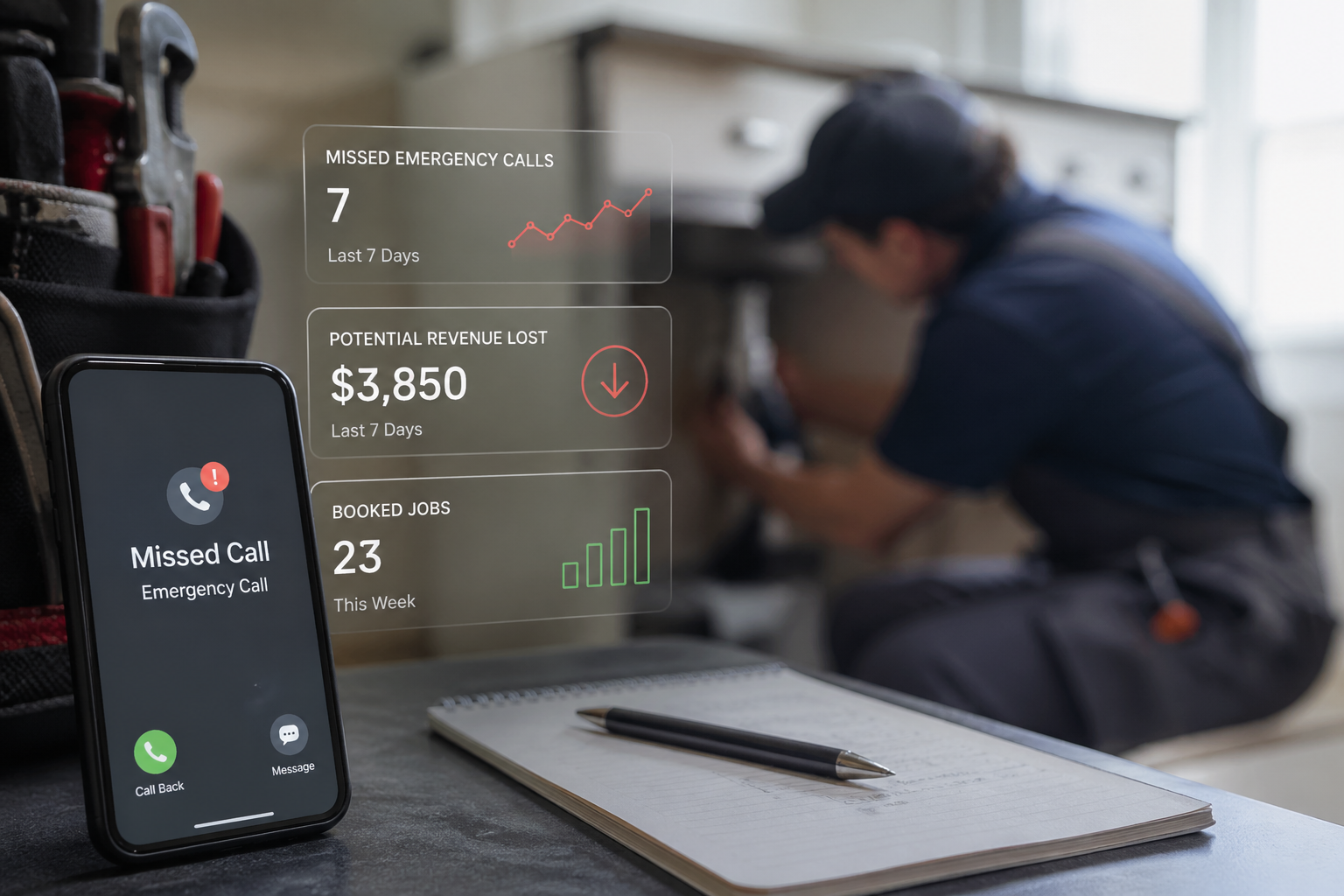
A small business that misses 30–60% of its inbound calls isn't failing at phones — it's losing revenue it can see on a spreadsheet. That's the gap an AI receptionist fills.
Here are eight concrete benefits of an AI receptionist, starting with the ones that show up in the P&L first:
- 24/7 call coverage — every ring gets answered, including nights, weekends, and lunch rushes.
- Lower staffing cost than a full-time hire — by a wide margin. (See the math below.)
- Parallel call handling — no busy signal, no hold queue.
- Consistent first-call experience — same answer, same tone, every time.
- Lead capture and qualification that logs straight into a CRM.
An AI receptionist is a voice agent that picks up phone calls, understands what the caller wants, and takes action — books appointments, routes the call, answers FAQs, captures contact info. Unlike an IVR ("Press 1 for sales"), it handles natural speech. For a deeper definition, see the glossary entry: AI Receptionist.
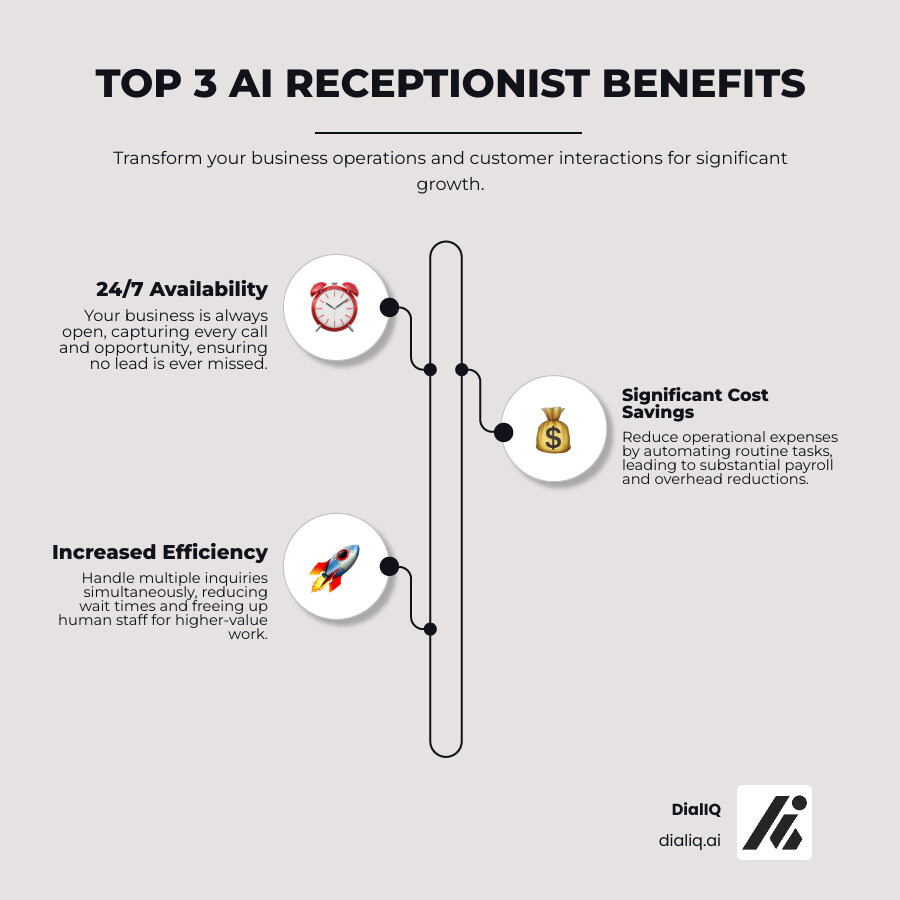
What an AI receptionist actually does for a small business
Each of the eight benefits above maps to a specific problem a small business owner can name. The rest of this article walks through the three that matter most — cost, call coverage, and lead capture — and shows what's actually happening on a real call.

24/7 call coverage is the benefit most businesses buy the product for. DialIQ's AI answers every call, including the ones at 11 PM on a Sunday. No voicemail, no missed emergency, no "we'll get back to you Monday."
Cost is usually the second reason. A full-time receptionist in the US runs $38,000–$50,000/year including benefits and payroll taxes. An AI receptionist runs a fraction of that — see DialIQ pricing for current tiers.
Parallel call handling matters most during peak hours. A human receptionist answering line 1 sends line 2 to voicemail. DialIQ takes both calls at once, and both callers get the same quality response.
Consistency is the quiet benefit. A human has good days and bad days. An AI receptionist gives the same pickup, same qualifying questions, and same booking flow on every call — which matters when a new customer's first impression is the phone.
Lead qualification is where the ROI compounds. DialIQ can ask the three or four questions a receptionist would ask — what's the issue, what's the address, when do you need someone out — and log the answers to a CRM before the call ends. Sales teams stop digging through voicemails for basic intake info.
Scalability matters for seasonal businesses. HVAC companies see call volume double in July and again in January. Adding a human to handle that surge means hiring, training, and letting go. An AI receptionist handles 3x volume the same way it handles 1x — no schedule change needed.
For the full missed-call revenue calculation (how a 30% miss rate turns into five-figure annual losses), see: The Hidden Cost of Missed Calls: Why Your Business Needs an AI Receptionist.
The cost math: AI receptionist vs. a full-time hire
A full-time receptionist in the US costs roughly $38,000–$50,000/year once benefits, payroll tax, and training time are added. An AI receptionist runs a small fraction of that — see DialIQ pricing for the current plan tiers.
The delta isn't just the monthly invoice. It's also the indirect costs — sick days, turnover, training a replacement when the receptionist quits, and the dropped calls during any of those transitions.
There's also the overhead a headcount carries: a desk, a computer, management time, a PTO schedule. An AI receptionist adds none of that.
The harder number is recovered revenue. A business that misses 30% of its calls and books 20% of the calls it answers is leaving roughly $15,000–$30,000/year on the table, depending on job value. Most AI receptionist setups pay for themselves in the first month once the missed calls start getting captured.
For a full head-to-head on cost and capability, see: AI Receptionist vs. Human Receptionist: The Real Cost Comparison for SMBs. To run your own numbers, try the ROI of AI Receptionist Calculator.
Handling volume: what changes when no call gets dropped
The operational benefit most owners feel first is parallel call handling. DialIQ can take multiple concurrent calls without a drop in quality — so when three leads ring in at 9 AM Monday, all three get the same pickup.
It also reduces the routine errors that come from a busy front desk — misspelled names, double-booked slots, missed callback notes. Everything gets logged in the same format, every time.
Most of a receptionist's day is a handful of repeated tasks: answering the same five FAQs, routing calls, taking messages, booking appointments. An AI receptionist handles those without prompting and escalates the edge cases.
That frees up whoever was covering the phones for work that needs human judgment — customer follow-ups, quote finalization, vendor management.
For more on the staffing side, see: Reduce Phone Burden & Staff Burnout: AI Solution.
Lead capture: what happens between ring and booking
The customer-side benefit is speed. Callers get picked up on the first or second ring, every time. That matters because a caller who gets voicemail typically hangs up and dials the next business on Google.
It also removes the variance between a well-trained receptionist and a brand-new one. The script, the qualifying questions, and the booking flow are identical on call #1 and call #10,000.
For return callers, DialIQ can pull up prior call context from the CRM — last service date, open ticket, preferred technician — so the conversation doesn't start from zero.
After-hours is where most of the ROI shows up. A plumber who takes an emergency call at 10 PM books a job a competitor couldn't. That one job usually covers a month of AI receptionist cost.
More on the intake workflow: Automated Customer Intake: Capture More Leads.
See what a live call actually sounds like — DialIQ walks through a real after-hours HVAC booking call in two minutes.
How it works under the hood
Under the hood, an AI receptionist is three things bolted together: speech recognition, a conversation engine, and integrations into the tools the business already runs on.

The speech layer uses natural language processing to understand what a caller is actually asking, even when they don't use the "right" words. The conversation engine decides what to do next. The three functions that matter most for small business calls:
- Call handling: Answering calls with custom greetings, providing information, taking messages, and filtering spam.
- Appointment scheduling: Booking appointments directly into calendars, sending confirmations, and handling rescheduling.
- Lead qualification: Engaging leads with predefined questions to assess their needs before passing them to sales.
For a deeper look at how the agent handles real calls end-to-end: The Complete Guide to AI Phone Agents for Small Businesses in 2025.
Integrations: CRM, calendar, and the tools you already use
An AI receptionist is only as useful as the tools it connects to. DialIQ integrates with the stack most small businesses already use.
CRM integration logs the call summary, caller details, and any qualifying answers straight into the CRM. No one types them in after the fact. For supported platforms, see: CRM Integrations.
Calendar integration lets the AI book, reschedule, or cancel on a shared calendar (Google Calendar, Outlook, scheduling tools like Jobber or ServiceTitan) without creating double-bookings.
Zapier integration extends the reach — a completed call can trigger a task in a project tool, a Slack message to a dispatch channel, or a row in a spreadsheet.
Call routing and booking, step by step
On a live call, the flow is simple. The AI picks up, greets the caller, and asks what they need. The caller talks the way they'd talk to a person — not pressing numbers, not waiting for a menu.
The AI uses intent detection to figure out what the call is really about. A call that starts with "my AC is out" gets treated differently from one that starts with "I want a quote on a new system." Urgent calls can escalate straight to the on-call technician via SMS or live transfer.
For booking calls, the AI reads the calendar, offers the next open slot, confirms the appointment, and sends an SMS confirmation — all before the caller hangs up. A follow-up reminder cuts no-show rates the same way it would for a human-booked appointment. See automatic appointment booking for the underlying mechanics.
For the full scheduling setup: How to Automate Appointment Scheduling: A Step-by-Step Guide for SMBs.
Customization, security, and what you can measure
Three things to check before buying: how customizable the voice and script are, how the provider handles data security, and what the analytics dashboard actually shows.
Customization usually covers the voice (accent, gender, pacing), the greeting, the qualifying questions, and the fallback when the AI can't handle a request.
Multilingual support handles calls in common business languages — useful in markets with a large Spanish-speaking customer base, for example.
On security, the basics are encryption in transit and at rest, role-based access to call recordings, and a clear data retention policy. For regulated industries, check vendor compliance claims against the specific framework you need. More detail: Compliance & Security: How AI Receptionists Protect Business Data.
The analytics dashboard is where most owners see the ROI clearly: call volume by time of day, most-asked questions, conversion rate from call to booked appointment. For a deeper look at what to measure: AI Phone Analytics: Track, Measure, Optimize Call Performance.
Where AI receptionists make the biggest difference
The benefits above apply everywhere, but the shape of the ROI changes by industry. Two verticals where the difference is clearest:
Home services: HVAC, plumbing, and contractors
In home services — HVAC, plumbing, electrical, roofing — a missed call is a lost job, often the same day. DialIQ captures the call, gets the address and the urgency, and either books a technician or escalates the call to the on-call person by SMS.
For non-emergency calls, the AI qualifies the lead — what's broken, what's the property, what's the timeline — so the technician walks in knowing what the job is. See the HVAC-specific setup: Best AI Phone Systems for HVAC Companies: Stop Missing Emergency Calls.
Real estate and professional services
In real estate, the call volume is spiky — listings go live and the phone rings for two days. DialIQ handles the initial qualifying questions (buying or selling, price range, timeline) and books a showing straight into the agent's calendar.
For more on the real estate setup: AI Phone System for Real Estate Agents.
Where AI still needs a human — and where it doesn't
The first question most owners ask: does this replace a human receptionist? The honest answer is partially. The AI handles the 70% of calls that are routine — bookings, FAQs, triage. The remaining 30% either goes to voicemail under the current setup or gets escalated to a human.
The second question: does it sound like a robot? Current-generation AI voices are good but not perfect. In a quiet environment, most callers won't realize they're on with an AI. In a noisy one (a car, a construction site), the flaws are more noticeable.
For a direct comparison with other call-handling options (IVR, human answering service): AI Phone System vs. IVR vs. Live Answering Service.
The hybrid setup that actually works
Most DialIQ customers end up on a hybrid setup. The AI handles the first pickup and the volume — booking, FAQs, intake. A human picks up the escalations: angry callers, unusual requests, complex negotiations.
The escalation paths are configurable. If a caller asks for a human, the AI transfers. If the AI detects frustration (raised voice, repeated questions, words like "manager"), it can transfer automatically. If no one's available to take the transfer, the AI takes a detailed message and flags it for urgent callback.
More on handling escalations: AI Customer Service De-escalation: Angry Customers.
Frequently asked questions
Three questions business owners ask most often before signing up.
What's the difference between an AI receptionist and an IVR?
An IVR makes the caller navigate a menu tree ("Press 1 for sales, press 2 for support"). An AI receptionist lets the caller say what they need in their own words, then acts on it. The caller experience is closer to a human receptionist than to a phone tree. Full comparison: AI Phone System vs. IVR vs. Live Answering Service.
Will callers know they're speaking with an AI?
Some will, some won't. In a quiet environment on a routine call, most callers don't notice. On a complex call, on a noisy line, or with callers who are listening for it, the AI voice is identifiable. DialIQ can be configured to disclose up front that the caller is speaking with an AI, which some businesses prefer for transparency.
How long does setup take?
A basic setup takes 15–30 minutes: point the business number at DialIQ, fill in the FAQ answers and booking flow, connect the calendar and CRM. A more customized setup — multilingual scripts, custom escalation rules, specific integrations — usually takes a few days with help from the DialIQ team. Full walkthrough: How to Set Up an AI Phone Agent.
Stop sending callers to voicemail
DialIQ answers every business call 24/7, books appointments straight to a calendar, and logs every lead to a CRM. Setup takes 15 minutes.
No credit card · Live in 15 minutes · Cancel anytime