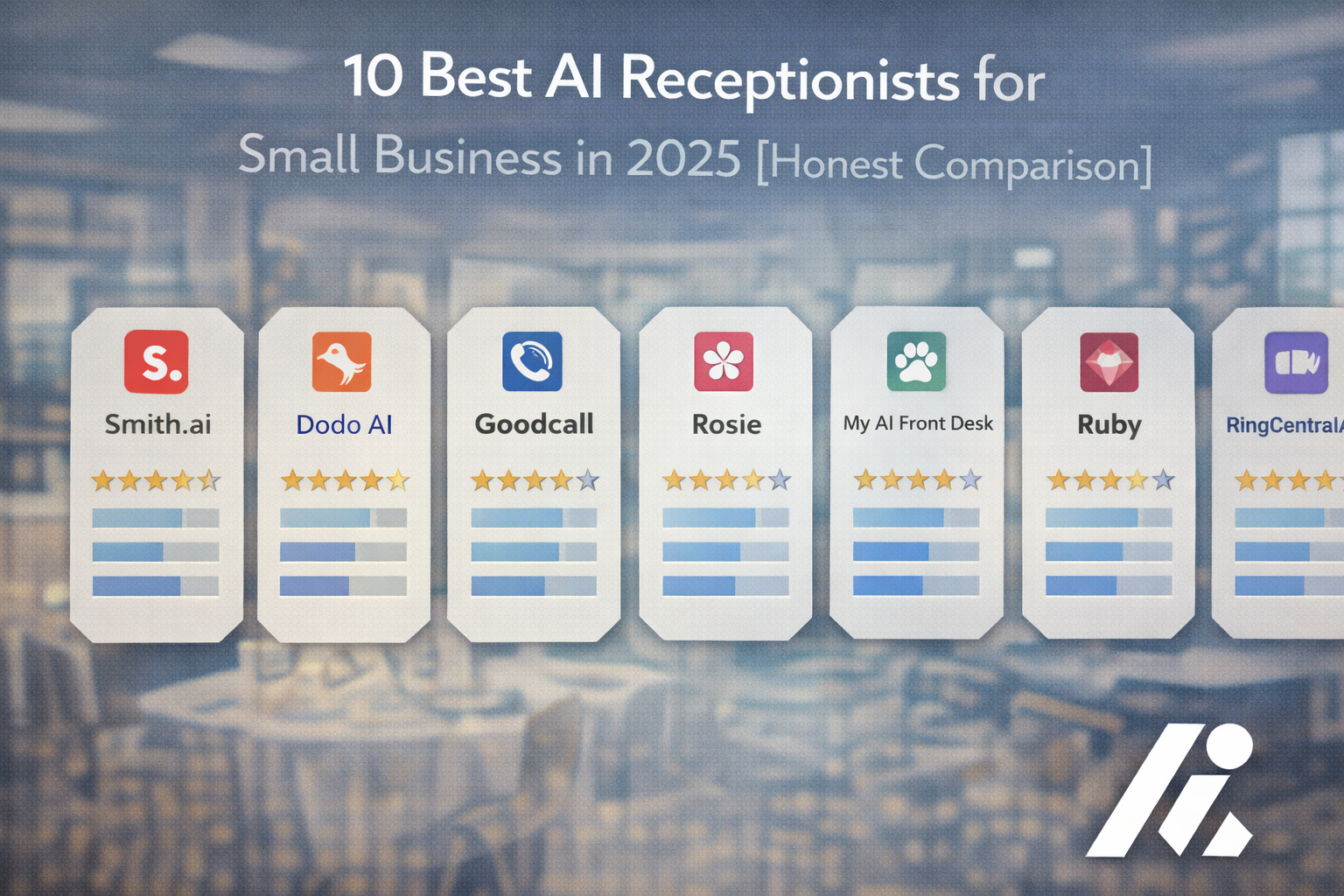
If you've decided an AI receptionist is the right move for your business, the next question is: which one. There are dozens of platforms on the market as of 2026 — the four that most small businesses actually end up comparing are DialIQ, Smith.ai, Goodcall, and Rosie. (For background on what an AI receptionist does and how AI receptionists differ from virtual receptionists, those primers cover the basics.)
The four aren't the same product wearing different logos. They take genuinely different approaches — some hybrid AI-plus-human, some pure AI, some priced for volume, some priced for complexity. The right choice depends on what you actually need the thing to do. If you're still weighing whether to adopt one at all, the benefits of an AI receptionist is the better starting point.
This comparison covers: verified 2026 pricing from each vendor's public site, a feature matrix with no marketing spin, the hidden costs that never show up on landing pages, and a short decision tree for picking the one that fits your business.
How to think about this choice
Before the comparison itself, two framing points that affect how to read it.
First: the gap between platforms isn't about who answers the call — all four do that. The gap is about what happens after pickup. Can it route a burst-pipe call to the on-call tech at 11 PM? Can it book into a specific EHR? Can it handle Spanish? Those capability differences are where platforms actually separate. If you want to quantify the cost side of the picture, the revenue lost to missed calls calculator and the breakdown of what those missed calls actually cost are useful baselines.
Second: the monthly subscription is rarely the whole cost. Overage rates, integration fees, add-ons for human backup or bilingual support, and setup fees all matter. The pricing section below includes these.
The four platforms in this comparison
DialIQ — built for call triage and regulated-industry use cases
Best for: Home services (HVAC, plumbing, electrical, roofing), veterinary clinics, and small healthcare practices that need after-hours call triage.
Pricing: see pricing for current tiers. Monthly plans, no long-term contract. Standout capability: the DialIQ triage engine, which prioritizes calls by urgency rather than just answering in arrival order.
What DialIQ does differently:
- Call triage: incoming calls get sorted by urgency, not arrival order. A burst-pipe call jumps ahead of a billing question.
- After-hours escalation: emergency calls route to an on-call contact by SMS or transfer, with call context attached.
- HIPAA-compliant plans available for healthcare, dental, and veterinary practices that handle protected health information.
- Configurable AI voice, greeting, and qualifying questions.
- Bilingual English/Spanish support.
What sets it apart: triage as a first-class feature. Most AI receptionists pick up and handle calls in the order they ring. DialIQ classifies the call by intent (emergency vs. routine vs. billing vs. scheduling) and routes accordingly — urgent calls get escalated to a human on-call contact, routine calls get handled without waking anyone up. That matters more for some business types than others: a vet clinic or an HVAC company gets clear value from it; a consulting firm with no after-hours urgency probably doesn't need it.
HIPAA compliance is available on DialIQ plans for regulated industries. Smith.ai and Goodcall also offer HIPAA-compliant options — ask every vendor for their BAA documentation before signing, regardless of what the marketing page says.
Best fit: home services (HVAC, plumbing, electrical, roofing) where missed after-hours calls are measurable revenue loss; small vet clinics that need overnight emergency triage; single-location medical and dental practices that need HIPAA-compliant intake; law firms with confidentiality requirements. For a side-by-side cost view against hiring a person, see the AI vs. human receptionist cost comparison.
Where it fits: businesses whose ROI case rests on capturing after-hours or emergency calls, and businesses in regulated industries that need HIPAA compliance. Where it's overkill: businesses with no after-hours urgency and no compliance requirement — a pure AI answering service at a lower price point may cover the same ground.
Smith.ai — hybrid AI plus human receptionists
Best for: law firms, professional services, and businesses that want a live human to take over when the AI can't handle something.
Pricing (verified April 2026, vendor site): AI Receptionist plans start at $95/month with per-call pricing. Human-plus-AI hybrid plans start at $292.50/month (30 calls included) and go up through Standard ($585/mo, 75 calls), Professional ($1,170/mo, 175 calls), and Premium ($2,025/mo, 300 calls). Overage on hybrid plans runs $9.75 per additional call. HIPAA-compliant plans are available (ask for BAA).
Key feature: live human agents as backup — the AI handles routine calls, hands off to a North American-based receptionist when the call gets complex.
What Smith.ai does differently:
- Hybrid AI plus human model: AI picks up, humans step in when needed. Useful for sensitive intake (legal, medical).
- 500+ North American live agents available as backup on AI Receptionist plans.
- Strong law-firm focus: conflict-of-interest checks, CRM integrations with Clio, MyCase, Lawmatics.
- 7,000+ integrations via Zapier on top of native integrations.
- Bilingual English/Spanish answering included on most plans.
What Smith.ai does well: the human backup is a genuine differentiator. If your calls include sensitive intake — a personal injury lead, a new therapy patient, a distressed customer — having a live receptionist take the handoff beats having an AI say "I'll have someone call you back." Smith.ai has been in this market longer than most competitors and their intake quality reflects it.
Industry focus: Smith.ai has publicly leaned into law firm positioning (not just real estate). The intake workflows, compliance tooling, and native integrations with legal practice management tools make it a natural fit for attorneys and paralegals.
Limitations to know:
- Pricing gets expensive quickly for businesses with uneven call volume — per-call overage at $9.75 on hybrid plans means a busy month can blow the budget.
- Human backup adds latency for urgency-driven calls; the AI answers fast, but the live handoff takes time.
- Best value for firms doing 30–175 calls/month; under 30 calls, you're paying a per-call minimum; over 300, the tiering starts looking expensive vs. pure-AI alternatives.
Best fit: law firms, accounting firms, consultants, real estate brokerages, and any business where a live human backup justifies the price premium over pure-AI alternatives.
Where it fits: the call quality bar is high and missed handoffs cost real money. Where it doesn't: businesses that need the lowest cost per call, or that have no use for the human-backup component and would rather pay for pure AI.
Goodcall — configurable AI for field-service SMBs
Best for: small local service businesses (restaurants, home services, retail) that want an AI receptionist they can configure themselves without engineering help.
Pricing (verified April 2026, vendor site): Starter $59/mo (100 unique callers, 1 logic flow), Growth $99/mo (250 unique callers, 3 logic flows), Scale $199/mo (unlimited callers). Annual billing reduces each tier by 30%. $0.50 per unique customer over the plan limit. All plans include unlimited minutes and unlimited tokens.
Key feature: drag-and-drop workflow builder — you can define call flows, skill rules, and escalation logic yourself.
What Goodcall does differently:
- Per-unique-caller billing instead of per-minute or per-call: predictable for businesses with lots of repeat callers (home services, regular clientele).
- Unlimited minutes and tokens on every plan — long calls don't cost extra.
- Configurable skill/workflow builder, so non-technical users can set call logic without a developer.
- Integration with Google Business Profile for auto-loading business hours, location, and services.
What Goodcall does well: configurability without engineering. A business owner can log in, build a call flow, and go live the same day. Pricing is transparent — the $0.50-per-extra-caller overage is the only surprise to budget for.
Limitations to know:
- No built-in emergency escalation — routing to on-call staff requires manual workflow setup.
- Uses call forwarding on your existing phone line; you can't port your number to Goodcall directly.
- Starter plan's 7-day call history is short for compliance or dispute review.
- Voice quality and conversation latency are serviceable but not the best in class among 2026 platforms.
Goodcall publishes HIPAA compliance messaging on their site — businesses in regulated industries should ask for the BAA and compliance documentation before signing, same as with any vendor.
Best fit: local service businesses with predictable call volumes, lots of repeat callers, and simple routing needs. Goodcall's per-unique-caller pricing rewards this profile.
Where it fits: small service businesses that want to configure their own call flow and don't need deep CRM integration or human handoff. Where it doesn't: regulated industries with complex intake, or high-volume inbound where the per-unique-caller model gets expensive.
Rosie — affordable entry-point AI for small businesses
Best for: solo operators and small businesses that want AI call answering at the lowest entry price in this comparison.
Pricing (verified April 2026, vendor site): starts at $49/month (basic tier) with higher tiers at $149/month (Scale plan — calendar and call transfers unlock here) and $199/month. 7-day free trial on all plans.
Key feature: auto-trains from your website and Google Business Profile. Scan your site, confirm the data, and the AI is live the same day.
What Rosie does differently:
- Fastest setup in the comparison: the AI scans your website and Google Business Profile and builds a knowledge base automatically.
- Lowest entry price among the four platforms at $49/month.
- Works as an overlay on your existing phone system via call forwarding — no number porting required.
What Rosie does well: low-friction onboarding. For a solo operator or very small team that just needs the phone answered, Rosie gets from signup to live call-handling faster than any of the other three platforms.
Limitations to know:
- The $49 base plan is genuinely basic — calendar booking, call transfers, and text follow-ups only unlock at the $149 Scale tier.
- No industry-specific templates (no legal intake, no medical workflow, no home-services dispatching out of the box).
- Built for low-to-medium call volume; businesses receiving hundreds of calls per month will likely need to upgrade tiers quickly.
- No built-in emergency escalation logic.
For regulated industries or calls that need urgent escalation, Rosie's base product isn't the right fit.
Best fit: solo operators, one-truck home service businesses, salons, and small retail — businesses where the use case is "answer the phone when I can't" and the budget is tight.
Where it fits: the cheapest path into AI call answering for a very small business. Where it doesn't: anything requiring the feature set only unlocked at the $149/$199 tiers — at those tiers, competitors start becoming the better value.
Feature comparison matrix
| Feature | DialIQ | Smith.ai | Goodcall | Rosie |
|---|---|---|---|---|
| 24/7 call answering | Yes | Yes | Yes | Yes |
| Appointment scheduling | Yes | Yes | Yes | $149+ tier only |
| Call recording + transcripts | Yes | Yes | Yes (7-day history on Starter) | Yes |
| HIPAA compliance (BAA available) | Yes — ask for BAA | Yes — ask for BAA | Yes — ask for BAA | Not advertised |
| Live human backup on calls | No — AI with escalation to your own on-call contact | Yes — included on hybrid plans, $292.50+/mo | No | No |
| Call triage by intent/urgency | Yes, built-in | Configurable | Configurable via workflow builder | Basic |
| Custom AI voice | Yes | Yes (included on annual plans; $2,000 add-on for monthly) | Limited customization | Limited customization |
| Bilingual English/Spanish | Yes | Yes | Limited | Yes on higher tiers |
| SMS follow-up after calls | Yes | Yes | Via Zapier | $149+ tier only |
| CRM integration (native) | Yes | 7,000+ via Zapier + native | Zapier-based + native | Google Calendar, Calendly |
| Field-service tool integration | Native (HVAC, dispatch) | ServiceTitan, HouseCall Pro native | Via Zapier | Via Zapier |
| EHR integration (healthcare) | Yes | Varies by EHR | Varies | No |
| Entry price (public 2026 pricing) | See /pricing | $95/mo (AI-only); $292.50/mo (hybrid) | $59/mo (Starter) | $49/mo |
| Billing model | Monthly plans | Per-call | Per unique caller | Tier-based minute buckets |
| Setup time (vendor-claimed) | ~15 minutes | Several days for custom config | Same-day with workflow builder | Same-day (auto-trains from site) |
Pricing comparison — verified rates from vendor sites
Pricing as of April 2026, pulled from each vendor's public pricing page. The numbers below are entry, mid-tier, and top published rate for each platform — they don't include custom enterprise tiers. For a wider view, see this deeper pricing breakdown for AI receptionist services.
| Platform | Entry | Mid | Top published | Notes |
|---|---|---|---|---|
| DialIQ | See /pricing | See /pricing | Enterprise custom | Monthly plans, tiered by call volume |
| Smith.ai AI-only | $95/mo | — | — | Per-call pricing |
| Smith.ai hybrid | $292.50/mo | $585/mo | $2,025/mo | Per-call overage at $9.75 |
| Goodcall | $59/mo (Starter) | $99/mo (Growth) | $199/mo (Scale) | Per-unique-caller model; annual billing -30% |
| Rosie | $49/mo | $149/mo (Scale) | $199/mo | Minute-bucket pricing; calendar/transfers unlock at $149 |
What else you'll end up paying for
| Category | What it covers | Range (varies by vendor) |
|---|---|---|
| Setup/onboarding | Number porting, initial config | Free on most; Smith.ai charges $95 setup on some plans |
| Integration setup | Custom CRM/EHR/calendar work beyond native integrations | Usually included; complex integrations may be quoted separately |
| Call/minute overages | Going over your plan limits | Smith.ai $9.75/call, Goodcall $0.50/unique caller, Rosie varies by tier |
| Add-ons | Bilingual, custom voice, extra transfer destinations, additional phone numbers | Smith.ai charges $15/mo per extra transfer destination, $5/mo per tracking number |
| Human backup (Smith.ai only) | Per-call rate for human receptionist handoff | $2–$9 per call depending on plan |
Before signing, always ask each vendor: what's the overage rate, what's the setup fee, and what add-ons are billed separately from the base plan?
A $49/mo platform that can't handle your business case is worse value than a $500/mo platform that can. The price you see on a landing page is the starting number, not the finishing one. The useful question: total cost per booked appointment or per captured lead, not the monthly sticker.
How to choose: a short decision tree
A short decision path. Work through the questions in order and stop at the first "yes" that narrows the field. For the longer-form version, the full buyer's guide to AI receptionists walks through evaluation criteria in more depth, and the ROI calculator is the fastest way to sanity-check the business case.
1. Do you handle protected health information or other regulated data?
→ If yes: DialIQ, Smith.ai, and Goodcall all offer HIPAA-compliant plans. Ask each vendor for their BAA documentation before committing. Rosie does not currently advertise HIPAA compliance.
2. Do after-hours calls represent significant revenue (home services, veterinary)?
→ If yes: call triage and emergency escalation become priority features. DialIQ's triage engine is built around this use case. Goodcall can be configured for emergency routing via its workflow builder. Smith.ai routes urgent calls to live humans on hybrid plans, but with some latency.
3. Is your industry one that Smith.ai has built-in tooling for (law firms, real estate, accounting)?
→ If yes: Smith.ai's industry-specific intake flows and native CRM integrations (Clio, MyCase, Lawmatics) add real value. The price premium is easier to justify when those integrations save you setup time.
4. Do you want live humans as backup for complex calls?
→ If yes: Smith.ai is the only platform in this comparison with trained human receptionists on standby. For sensitive intake (legal, therapy, escalated support) this is hard to replicate.
5. Is this your first AI receptionist and you want the lowest-friction path to "phone gets answered"?
→ Rosie at $49/mo is the cheapest entry; Goodcall at $59/mo gives you more configurability for $10 more. Both get you live same-day.
6. Do you need native integrations with specific business tools (ServiceTitan, HouseCall Pro, Epic, Cerner, Clio)?
→ Check each vendor's current integrations page before signing — native integrations vary and change often. Zapier support covers most long-tail tools at a basic level.
7. Do you have predictable call volume, or does it spike seasonally?
→ Per-call pricing (Smith.ai) can get expensive on spike months. Per-minute (Rosie) can be unpredictable on long calls. Per-unique-caller (Goodcall) rewards repeat customers. Monthly plans (DialIQ) give the most predictable bill. Pick the billing model that matches your call pattern.
Which platform fits which industry
Veterinary clinics
What matters most: after-hours emergency calls, triage between urgent and routine cases, and reliable handoff to the on-call vet. DialIQ's triage engine is built for this pattern. Smith.ai can handle it via live human escalation at a higher price point. Goodcall and Rosie can be configured for emergency routing but don't have triage as a native feature.
Best fit: DialIQ for single-location clinics with measurable overnight call volume; Smith.ai for multi-location practices where the human-backup model fits the quality bar; Rosie for very small clinics with low after-hours volume.
Real estate
What matters most: speed to pickup on new-listing interest, buyer-vs-seller qualification, and showing scheduling. Smith.ai has industry-specific intake workflows and native integrations with real-estate CRMs; the human backup catches the handoffs a pure AI might flub. DialIQ works well for agents or brokerages that want tight integration with their own on-call rotation instead of outsourced human reception.
Best fit: Smith.ai for solo agents and small brokerages that want the turnkey intake flow; DialIQ for multi-agent teams that want to route calls through their own on-call rotation.
Medical and dental practices
What matters most: HIPAA compliance with a signed BAA, EHR integration, and no-show reduction. All three of DialIQ, Smith.ai, and Goodcall advertise HIPAA-compliant plans — always verify with the vendor's BAA, don't take the landing page's word for it. For more on the security side, see how AI receptionists handle compliance and security.
Best fit: DialIQ for practices that want a purpose-built AI with direct EHR integrations and call triage; Smith.ai for practices that want live humans handling sensitive intake (new patient onboarding, escalations); neither Goodcall nor Rosie is built around the medical/dental workflow.
Home services: HVAC, plumbing, electrical, roofing
What matters most: every after-hours emergency call is potentially a same-day job. Missing three of them in a storm week is thousands of dollars out the door. DialIQ's triage + SMS escalation is built for this. Goodcall's workflow builder handles it with configuration. Smith.ai's hybrid model works but the human handoff adds latency that some emergency callers won't tolerate. The AI receptionist for home services page covers this vertical end to end, and HVAC-specific setup for AI call handling goes deeper for that trade.
Best fit: DialIQ for growing home-services businesses with a clear on-call rotation; Goodcall for solo operators or one-truck operations that want to configure their own routing; Rosie as the budget entry point for single-operator businesses.
General small business
What matters most: reliable call pickup, predictable billing, and room to grow without forklift migration later. For a small business that doesn't fit a named vertical above, the question is mostly about billing model and how much setup you want to do yourself. The AI vs. traditional phone system comparison is worth a read if you're also weighing whether to replace your current phone setup entirely.
Best fit: DialIQ for businesses where after-hours call value is high; Goodcall for businesses that want configurability and per-unique-caller billing; Rosie for the lowest entry price; Smith.ai when the cost of the wrong call pickup is high enough to justify human backup.
Law firms
What matters most: quality of intake, confidentiality, conflict-of-interest screening, and native integration with legal practice management tools (Clio, MyCase, Lawmatics).
Best fit: Smith.ai is the strongest option here — it publicly positions itself around legal intake, the hybrid model catches the nuanced calls a pure AI struggles with, and the native integrations with legal CRMs save setup time. DialIQ is a reasonable alternative for firms that want pure AI (no human handoff) and are willing to do more of the integration work themselves.
Auto dealerships
What matters most: test-drive scheduling, service department intake, and DMS integration.
Best fit: DialIQ for dealerships that want AI-first call handling with integration into service scheduling. Smith.ai fits dealerships that want live human agents handling the sales-department calls.
Which platform wins for which use case
There's no universal winner — it depends on what you need the platform to do.
Choose DialIQ if:
- After-hours or emergency calls are a meaningful share of your revenue (home services, vet, healthcare).
- You need HIPAA compliance with a signed BAA.
- You want call triage and on-call escalation as native features rather than configurations.
- You'd rather route urgent calls to your own on-call rotation than to an outsourced human receptionist.
Choose Smith.ai if:
- You want live North American human receptionists as backup on complex calls.
- You're a law firm, accounting firm, or professional services business and want native integrations with industry CRMs.
- Your call quality bar is high enough to justify the price premium.
Choose Goodcall if:
- You're a small local service business with lots of repeat callers.
- You want to configure your own call flow without engineering help.
- Per-unique-caller billing matches your call pattern better than per-call or per-minute pricing.
Choose Rosie if:
- You're a solo operator or very small team and want the lowest entry price.
- "Just answer the phone when I can't" is the use case.
- You can live with the basic feature set on the $49 tier and don't need calendar booking or call transfers.
Ready to try DialIQ?
If DialIQ fits the profile above — home services with after-hours calls, a small vet clinic, a healthcare practice that needs a BAA, or any business where missed calls are measurable revenue loss — start a trial and put it on a real call.
No credit card · 14-day trial · See DialIQ pricing for current plan details.